

The Ultimate Desktop Studio for Google VEO 3.1
Paste a script, a prompt list or your own voice recording and get finished videos back. Bulk generation, consistent characters, a CapCut-style editor and an unlimited Veo 3 API, all running on your own PC.








Eighteen studios in one Windows app
Generate, voice, edit, merge and automate without leaving the sidebar.
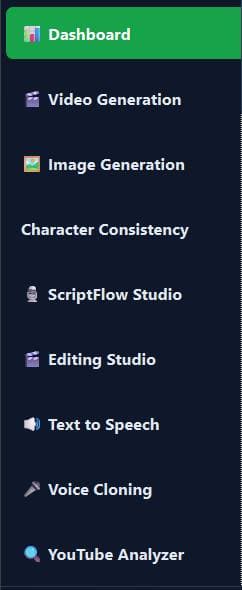 The real sidebar
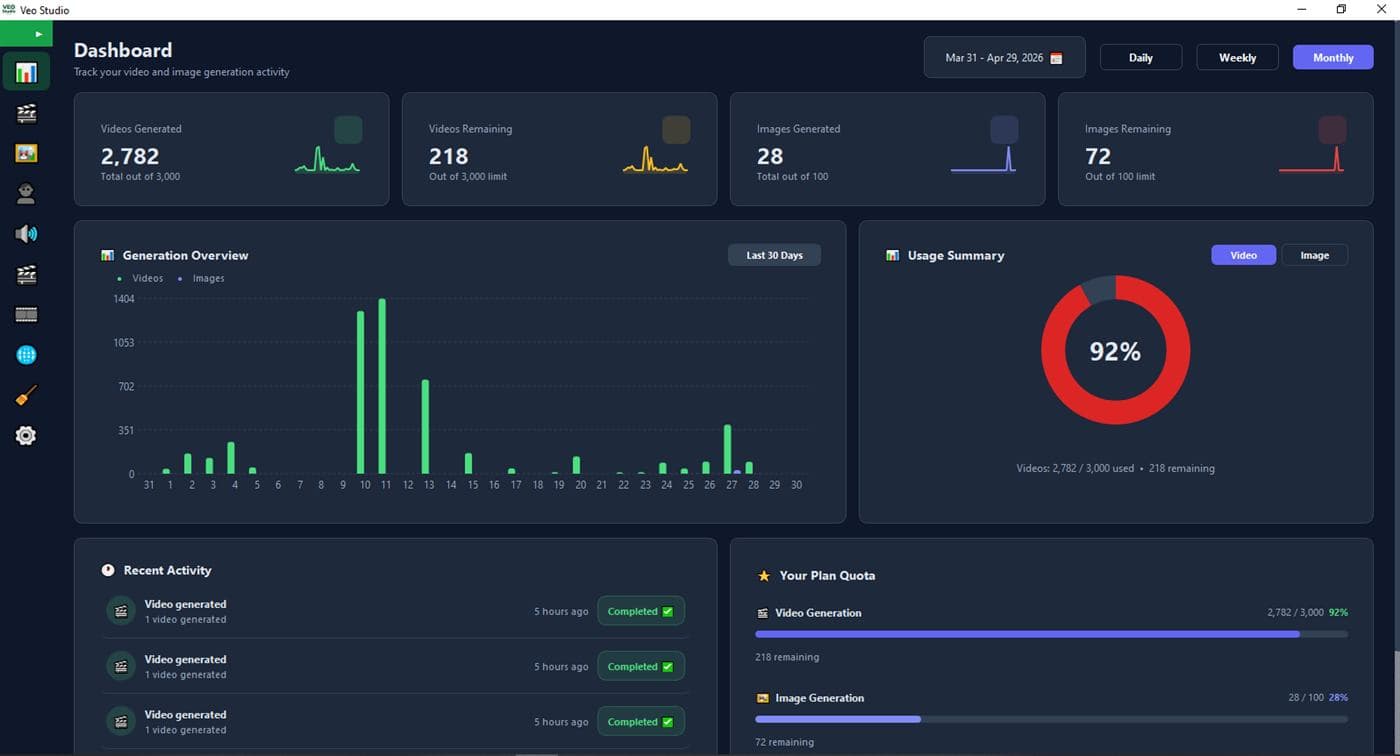
Videos and images rendered on every licensed PC. Refreshes every 5 minutes.
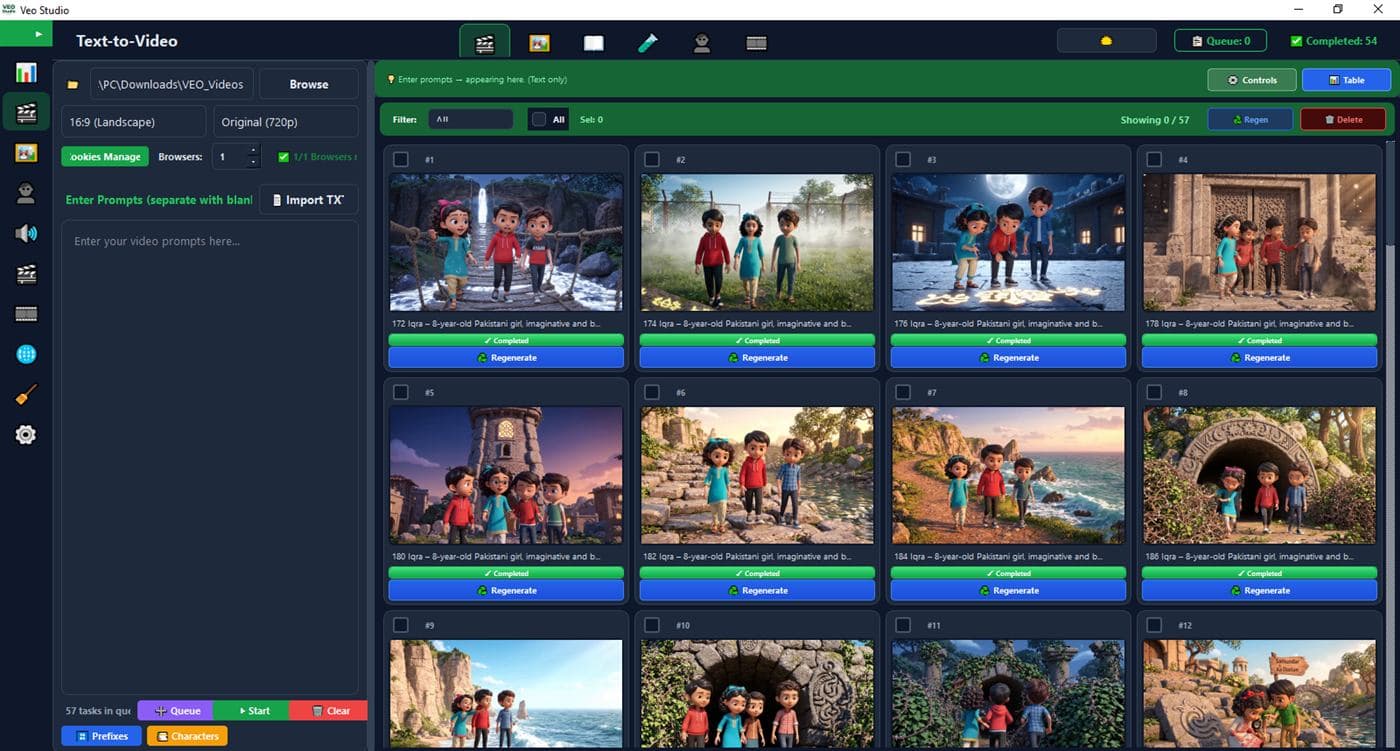
Every Veo 3.1 mode, in bulk, from one table
Paste prompts, press Start. Up to 8 browsers run side by side and finished clips land in your folder.
Video Generation
Six modes in one prompt table. Blank line starts a new prompt, two blank lines start a new story. Veo 3 by default, Omni Flash for 10-second clips.
Image Generation
Nano Banana 2, Pro and Lite. 1K, 2K or 4K in five ratios, image-to-image with up to 10 reference images.
Character Consistency
Same face, outfit and style across every shot. Up to 10 characters, referenced by @name in any prompt.
Storyboard
Style, idea, screenplay, assets, frames. A five-step wizard that turns a story idea into per-scene boards.
Video Merger
Drop a folder, drag to reorder, add speed, captions, music, overlay or logo, export one file.
Paste a script, or your own voice. Get a finished video.
ScriptFlow writes the shot list, renders every clip, checks each one with Gemini and assembles the final cut with captions and music.
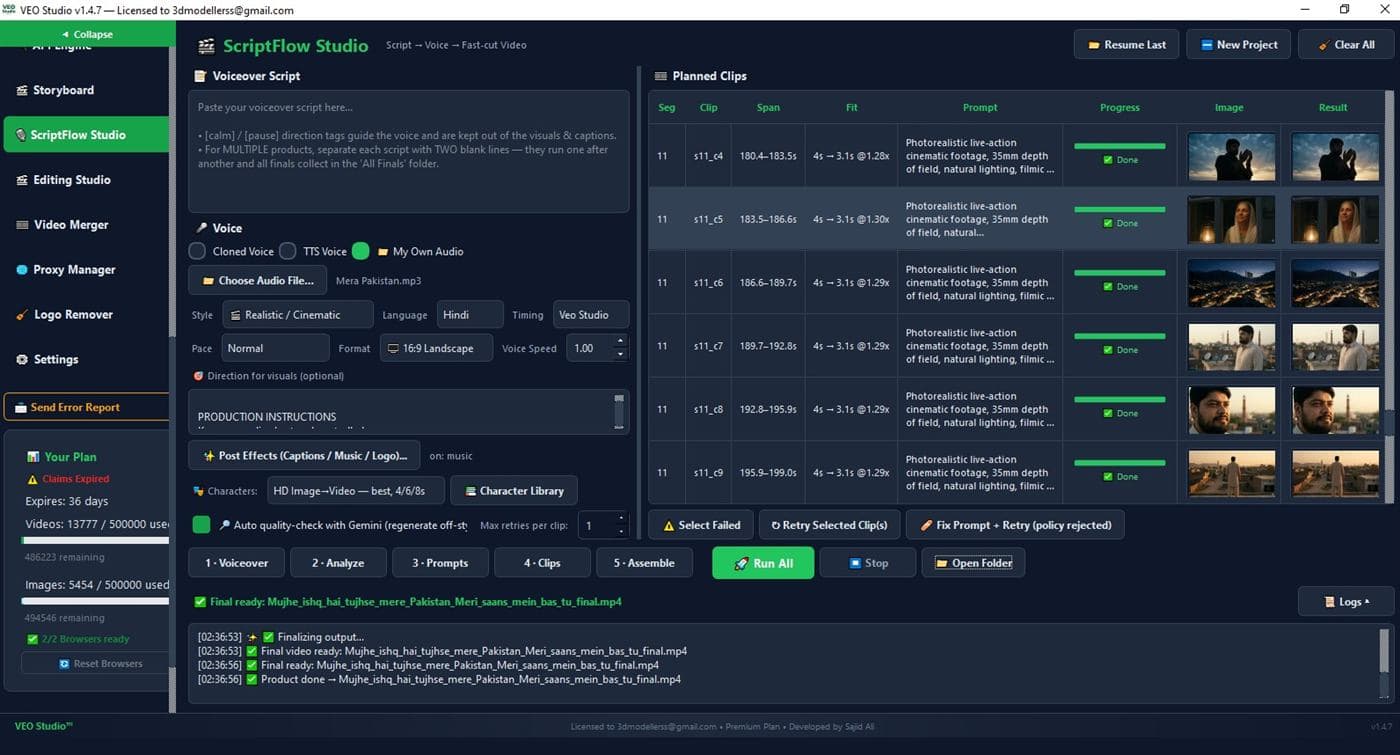
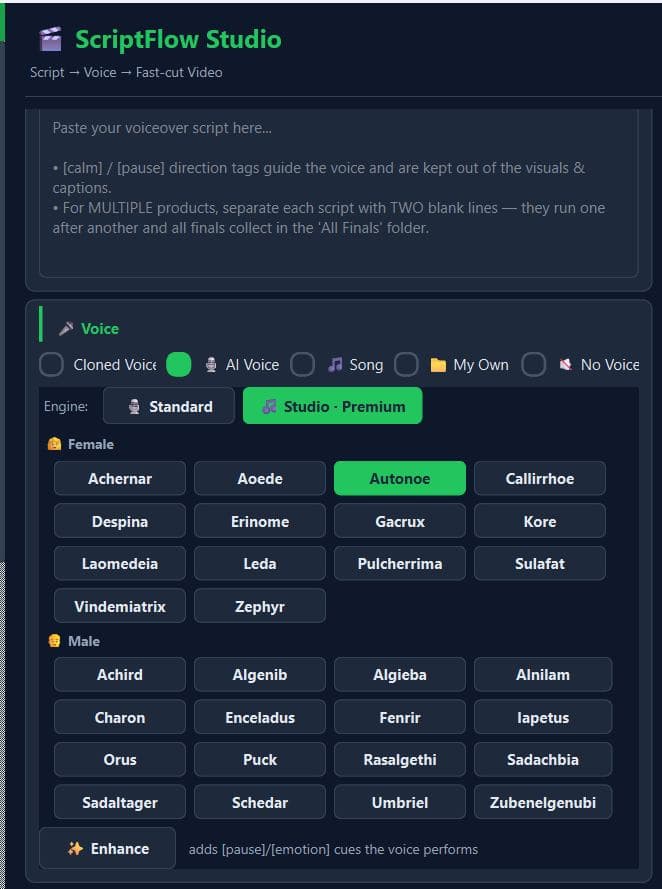
- Five voice sources. Cloned, AI standard or studio, a generated song, your own recording, or silent.
- Characters that hold. Reference mode for speed, HD image-to-video for up to 10 characters.
- Auto quality check. Gemini inspects each clip for drift or glitches and regenerates the bad ones.
- Stock B-roll mix. Blend 10 to 100 percent footage from Pexels, Pixabay or Unsplash.
Cloned voice, AI voice, a generated song, or your own audio, auto-transcribed.
Timing from the audio, 4, 6 or 8 second clips, 9:16 or 16:9.
A prompt per clip in your visual style, with characters from the library.
Gemini inspects each clip for drift or glitches and regenerates the bad ones.
Captions, music and logo applied. Several scripts in one run land in an All Finals folder.
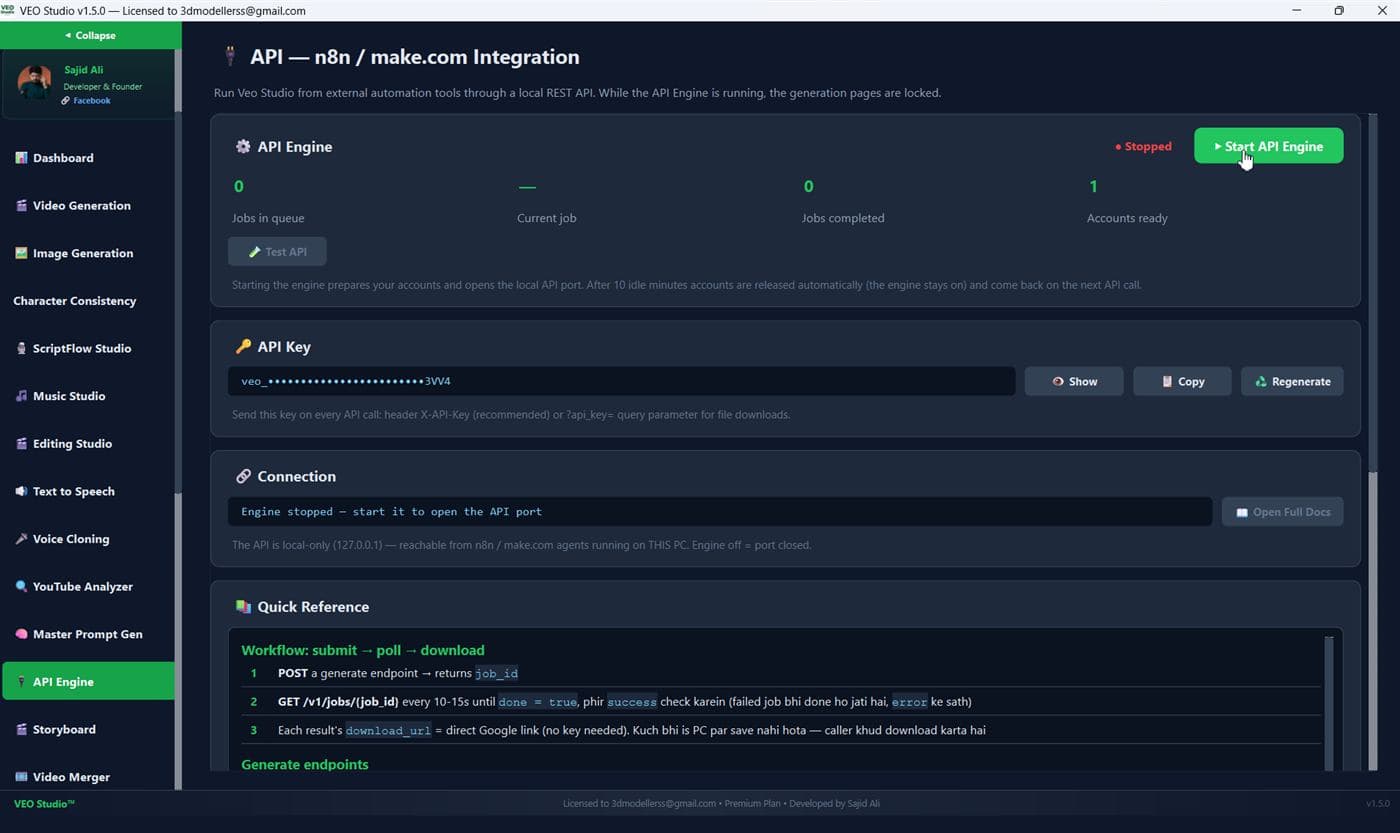
Unlimited Google Veo 3 API on your own PC
Turn on the API Engine and VEO Studio becomes a local REST server. Call the Veo 3 API and the Omni Flash API from n8n, make.com or any script running on the same machine. No per-call billing, no cloud key, just your plan.
- Six generate endpoints. Text-to-video, image-to-video, first-last frame, ingredients, text-to-image, image-to-image.
- Submit, poll, download. Up to 50 items per job, 1 to 4 videos per prompt, 4, 6, 8 or 10 second clips.
- Local only, key protected. Binds to 127.0.0.1, every call carries your X-API-Key, built-in docs page included.
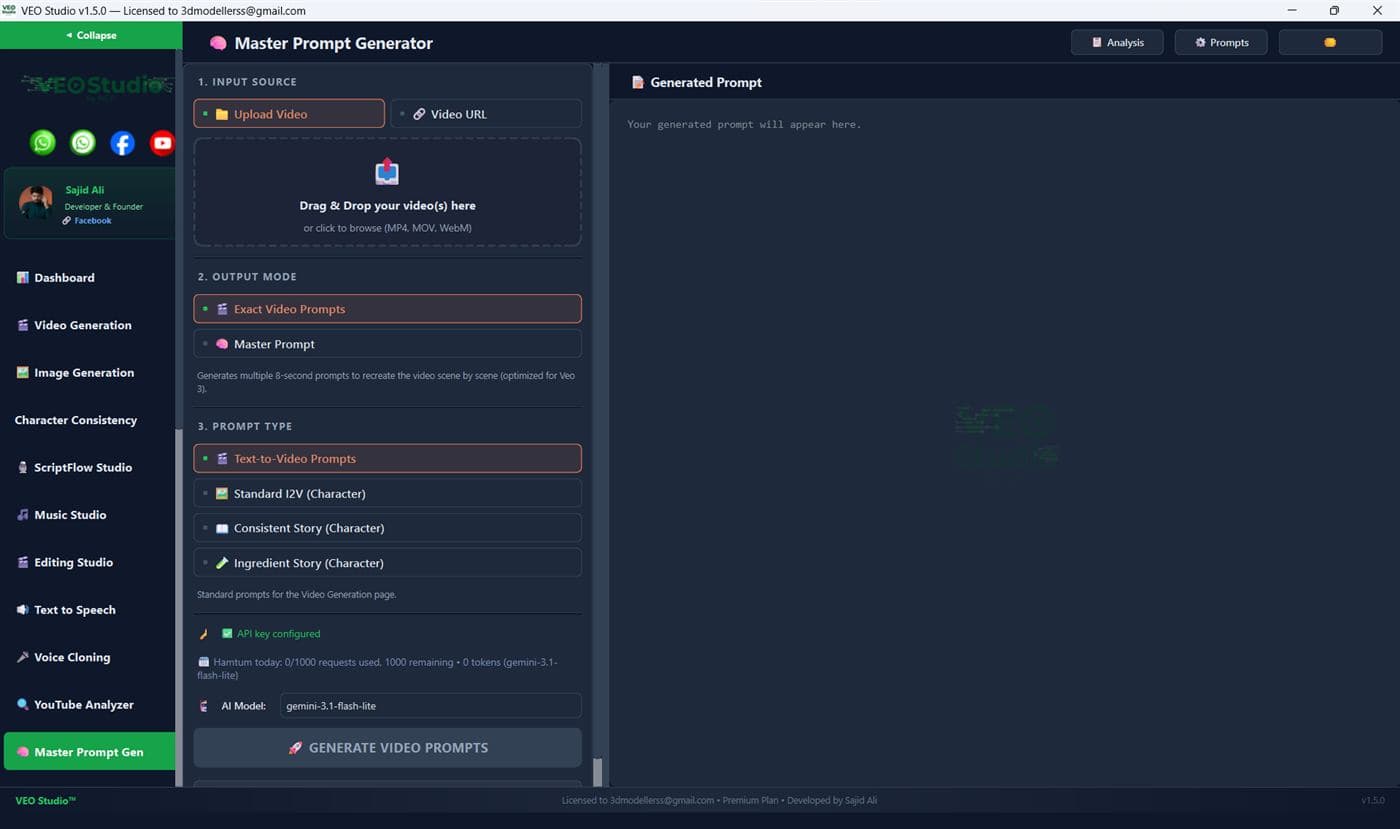
Saw a video you like? Get its prompts.
Upload any clip or paste a YouTube, Facebook or TikTok link. Gemini breaks it into 8-second Veo 3 prompts you can recreate scene by scene, or into one reusable master prompt for mass production.
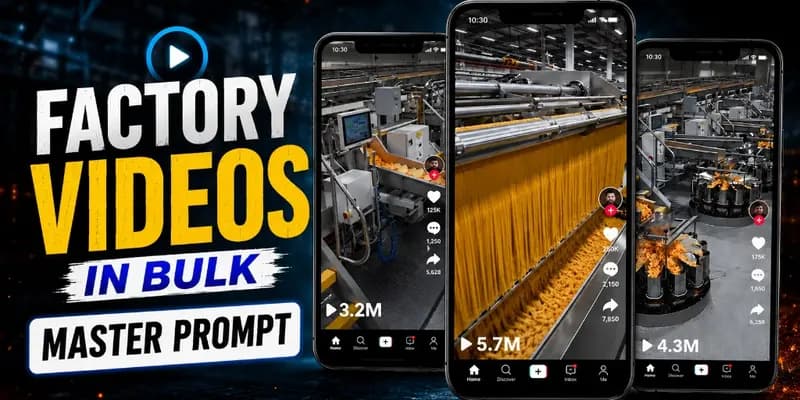 From the libraryFactory and process documentary, 8-minute videoMaster prompt with video tutorial
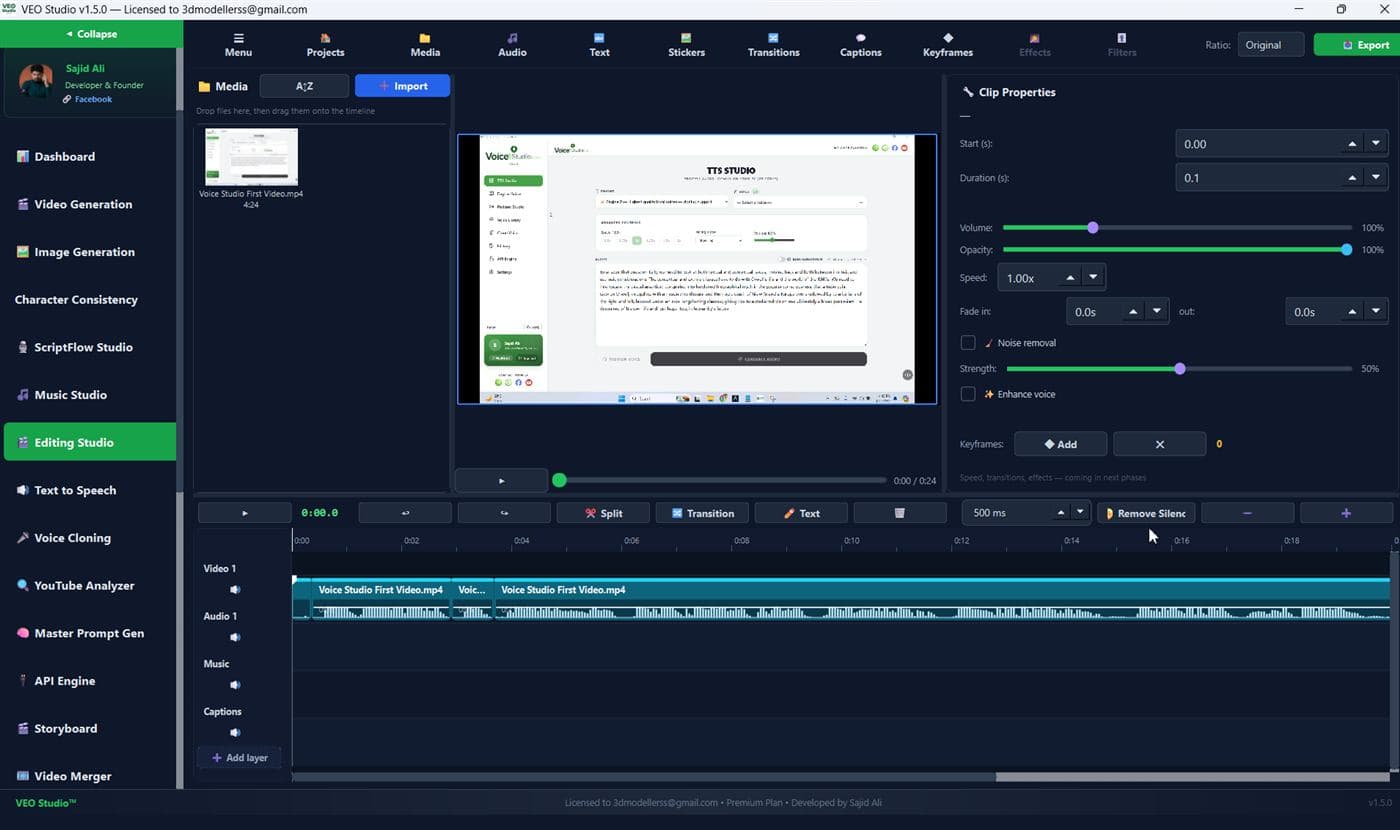
A CapCut-style editor, built in
Multi-track timeline with layers, split, trim, crop, speed and keyframes. AI auto-captions in ten styles, 34 transitions, silence cutting, noise removal and voice enhancement, exported up to 4K.
Finished videos go straight to Drive and Facebook
Two new studios in the sidebar. Turn them on once and every final lands in your own Google Drive and on your Facebook Pages, on the schedule you set.
Auto-upload to your Google Drive
Connect your own Google account once. Every finished clip, merged video or image is uploaded to a VEO Studio folder in your Drive, mirroring your local output folders, while the queue keeps rendering.
- Your account, your files. Sign in with Google in the browser. VEO Studio only touches the files it creates.
- Choose what goes up. Merged finals only, clips and finals, or images too. Per page or for the whole app.
- Cloud-only mode. Remove the local copy after Drive confirms the upload and keep your PC clean.
- Reliable on slow lines. Resumable chunked uploads, checksum verified, auto-pause when Drive is full.

Publish or schedule to your Facebook Pages
Assign videos to one or many Pages and let VEO Studio post them as Reels or Page videos, right away or on a calendar you set. Title, description, hashtags and thumbnail can be written by AI.
- Three ways to schedule. Publish as soon as possible, publish at a date and time, or spread a batch over days at set times.
- Many Pages, one queue. Round-robin one video per Page, every video to every Page, or one per Page.
- Reels detected automatically. 9:16 clips up to 90 seconds post as Reels, the rest as Page videos.
- Never lose a slot. Facebook can hold scheduled posts natively, retries with backoff, and a missed-upload dialog lets you publish now or reschedule.
Google Drive and Facebook Uploader are enabled per account. Ask on WhatsApp to turn them on for your plan.
Everything around the video, in the same app
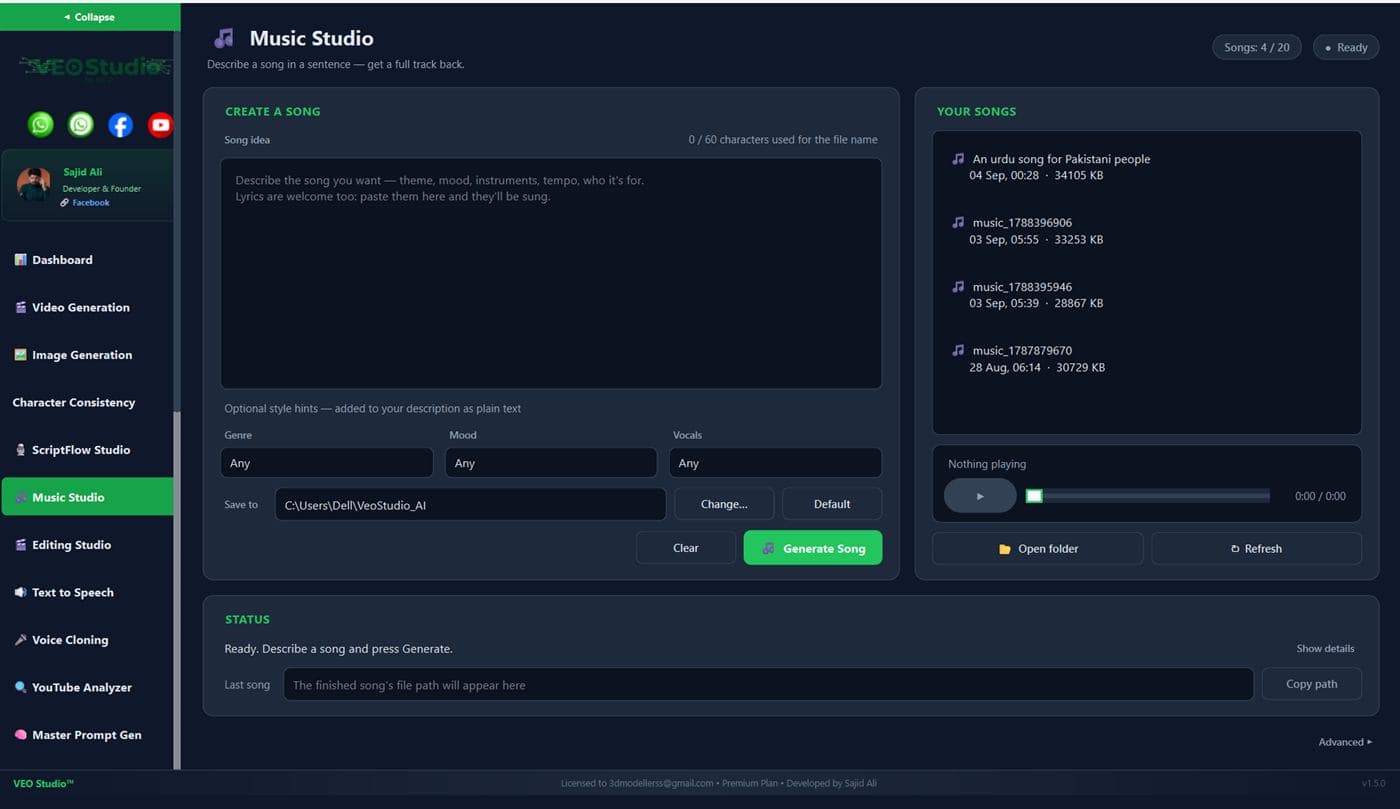
Describe a song in a sentence, or paste lyrics, and get a full track with genre, mood and vocal hints.
9 languages, 50+ voices, speed control and batch mode for a folder of paragraphs.
Clone from a sample or design a new voice from a description. Veo Studio VC speaks 23 languages.
Paste URLs, get metadata, timestamped transcripts, thumbnails and downloads in bulk.
Bulk watermark removal for videos and images by crop or inpaint, whole folders at a time.
Cloudflare WARP rotation out of the box, or bulk-import your own proxies for the captcha browsers.
Split a script into scenes, pick a style, generate prompts and queue them straight into the table.
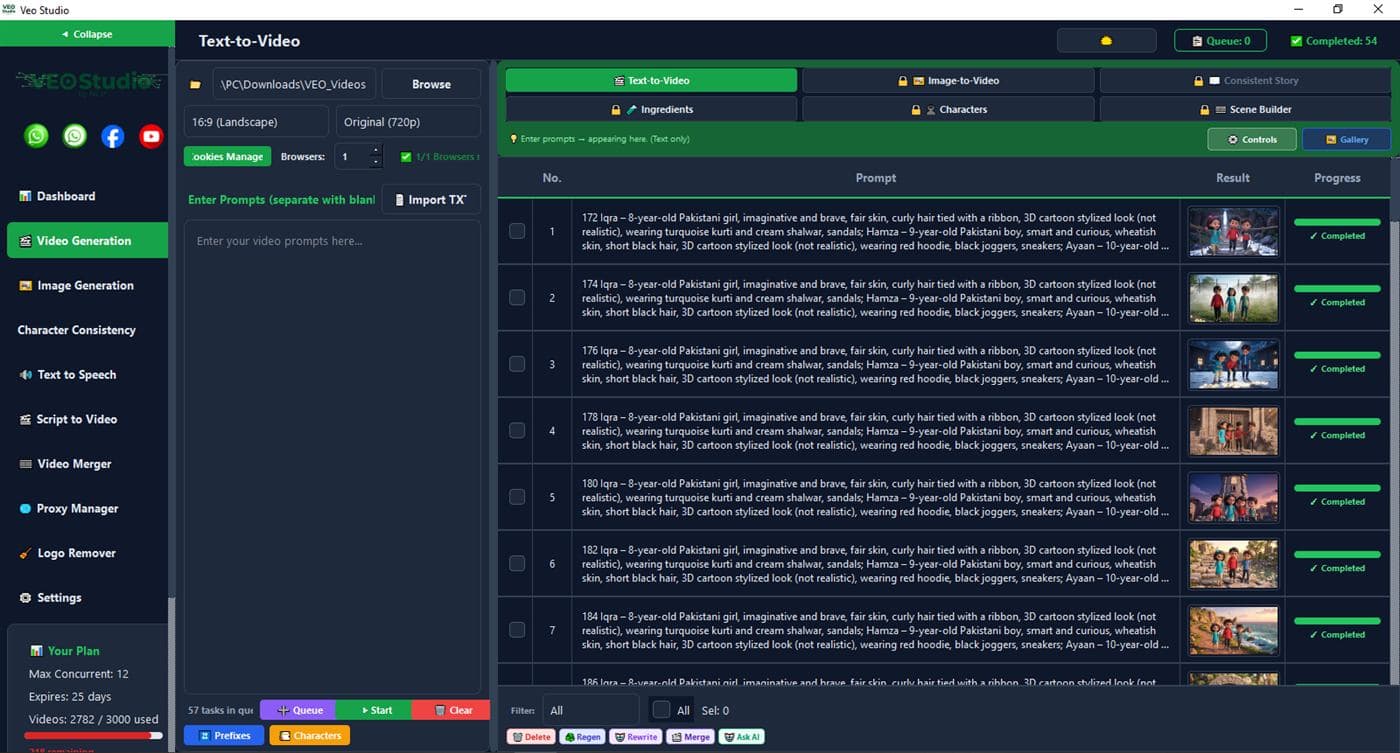
Hundreds of prompts. One Start button.
Import a TXT, set the browser count, and watch the table fill with results. Pause, resume, regenerate or rewrite any row without leaving the queue.
Built by a creator, with the No-Code Pakistan community

Developer and founder
Every feature ships with a tutorial on YouTube and support on WhatsApp.
Office hours, templates, accountability.

Daily talk on VEO, n8n and automation.

Sajid Ali and No-Code Pakistan channels.
Drops, event recaps and highlights.
Before you buy
Does VEO Studio run on Mac or in the browser?
No. It is a Windows desktop app only. Download it from the link above and activate with the credentials you receive on WhatsApp.
Is the Veo 3 API really unlimited?
API calls draw from your plan's video and image quota, the same as the app. On the Unlimited plan there is no cap. The API is local to your PC and needs the app running.
How many videos can I generate at once?
Four videos render in parallel on both Studio Max and Unlimited, across up to eight browsers. Both plans take up to 500 prompts per batch.
What resolutions and formats are supported?
Video in 720p or 1080p, portrait or landscape, 4 to 10 seconds per clip. Images in 1K, 2K and 4K across 16:9, 9:16, 1:1, 4:3 and 3:4. The editor exports up to 4K.
Start rendering on your PC tonight
Download the installer, then message us on WhatsApp for a Studio Max, Unlimited, Image Only or custom plan.